
The Best Sit Stand Desk Converters in Australia
The best standing desk converters in Australia to turn any desk into a sit-stand desk, with prices checked at Amazon Australia.
 By Laurence Deer
On this page
- The best sit stand desk converters in Australia
- 1. Best overall: Ergotron WorkFit-TL
- 2. Best for corner desks: Ergotron WorkFit Corner
- 3. Best value: VIVO 81cm Desk Converter
- 4. Best budget pick without assembly: XICEN Standing Desk Converter
- 5. Best for a wide keyboard setup: ERGOMAKER 101cm Standing Desk Converter
- 6. Lower-cost 91cm pick: YSGOYS 91cm Desk Converter
- How we chose
- Sit stand desk converter buying guide
You want to stand for part of the workday, but replacing a perfectly useful desk feels wasteful. Our top sit stand desk converter is the Ergotron WorkFit-TL: its independent recommendation, ready-to-use design and five-year warranty make it our first choice if the price fits your budget.
For a cheaper sit and stand desk converter, we’d choose the VIVO. It has a published height range and load limit, plus a three-year manufacturer warranty. The reviews below explain where each pick makes sense and where we’d spend less.
The best sit stand desk converters in Australia
- Best overall: Ergotron WorkFit-TL
- Best for corner desks: Ergotron WorkFit Corner
- Best value: VIVO 81cm Desk Converter
- Best budget pick without assembly: XICEN Standing Desk Converter
- Best for a wide keyboard setup: ERGOMAKER 101cm Standing Desk Converter
- Lower-cost 91cm pick: YSGOYS 91cm Desk Converter
| Product | Price | ||
|---|---|---|---|
 | Ergotron WorkFit-TL (33-406-085) | from $571.95 at Amazon | $571.95 at Amazon |
 | Ergotron WorkFit Corner (33-468-921) | Unavailable | |
 | VIVO 81cm Desk Converter (Standing Desk) | from $139.99 at Amazon | $139.99 at Amazon |
 | XICEN Standing Desk Converter | Unavailable | |
 | ERGOMAKER 101cm Standing Desk Converter (DC01-40-WFWD) | from $169.15 at Amazon | $169.15 at Amazon |
 | YSGOYS 91cm Desk Converter (ZGJ-FA1014) | from $119.99 at Amazon | $119.99 at Amazon |
1. Best overall: Ergotron WorkFit-TL
If you want to keep your existing desk and avoid assembling another piece of office furniture, start with the Ergotron WorkFit-TL. Ergotron says it arrives ready to place on your tabletop, with the keyboard tray already integrated.
ExpertEasy recommends it as a stable manual alternative to the Standesk Pro, with room for two monitors. We found no independent owner rating at the retailers we check.
Our take is that the WorkFit-TL earns its place through convenience and warranty cover. The five-year warranty is a useful reason to consider spending more on something you plan to adjust throughout the working week. Ergotron’s stated 18.1 kg moving load limit also gives you a clear figure to check against your equipment before buying.
The catch is the price. It costs considerably more than the VIVO, so we’d skip it if you’re mainly trying to find out whether standing at your desk suits you. Among the retailers in our data, Amazon Australia is the sole stockist; check the warranty and returns terms on the offer before ordering.
Pros
- Ready to use without assembly
- Workspace accommodates two monitors
- Five-year warranty provides longer cover than the VIVO’s three years
Cons
- Considerably more expensive than the VIVO
- Equipment exceeding 18.1 kg falls outside the stated moving load limit
Our verdict: Buy the WorkFit-TL if you want a ready-to-use converter with an independent recommendation and a five-year warranty. For a tighter budget, we’d choose the VIVO.
Lowest we've seen in 30 days · down $128.05 since 19 Nov
- Amazon$571.95In stock · as of 20 Nov, 5:16pmBuy at Amazon
Amazon price is accurate as of the time shown and can change. Other prices were checked on the retailer's site on the date shown.
2. Best for corner desks: Ergotron WorkFit Corner
A corner desk can leave useful space awkward to reach. The Ergotron WorkFit Corner addresses that layout directly, with a notched work surface that Ergotron says fits flush into a 90-degree desk corner.
ExpertEasy and Arielle recommend it for corner desks and dual-monitor setups needing a spacious work surface and keyboard tray. No independent owner rating was available from the retailers we check.
This is the one we’d consider when you need papers beside your screens, rather than a platform that holds little beyond the computer. Ergotron’s stated fit on surfaces as shallow as 61 cm is helpful, but measure the whole installation space before committing. A corner fit doesn’t remove the need to check clearance.
It’s the dearest converter in this guide. Our take is that the extra expense makes sense for the corner layout; we’d choose the less expensive WorkFit-TL for a conventional desk. The supplied stock check lists Amazon Australia alone, so confirm the seller’s warranty and returns terms.
Pros
- Shaped to make use of a 90-degree desk corner
- Room to keep paperwork beside your computer
- Keyboard tray allows different keyboard and mouse arrangements
Cons
- Most expensive pick in this guide
- Supplied specifications omit the adjustment range and load limit; confirm both before purchase
Our verdict: Choose the WorkFit Corner when its notched surface solves a genuine desk-layout problem. On a straight desk, we’d save the money and buy the WorkFit-TL.
3. Best value: VIVO 81cm Desk Converter
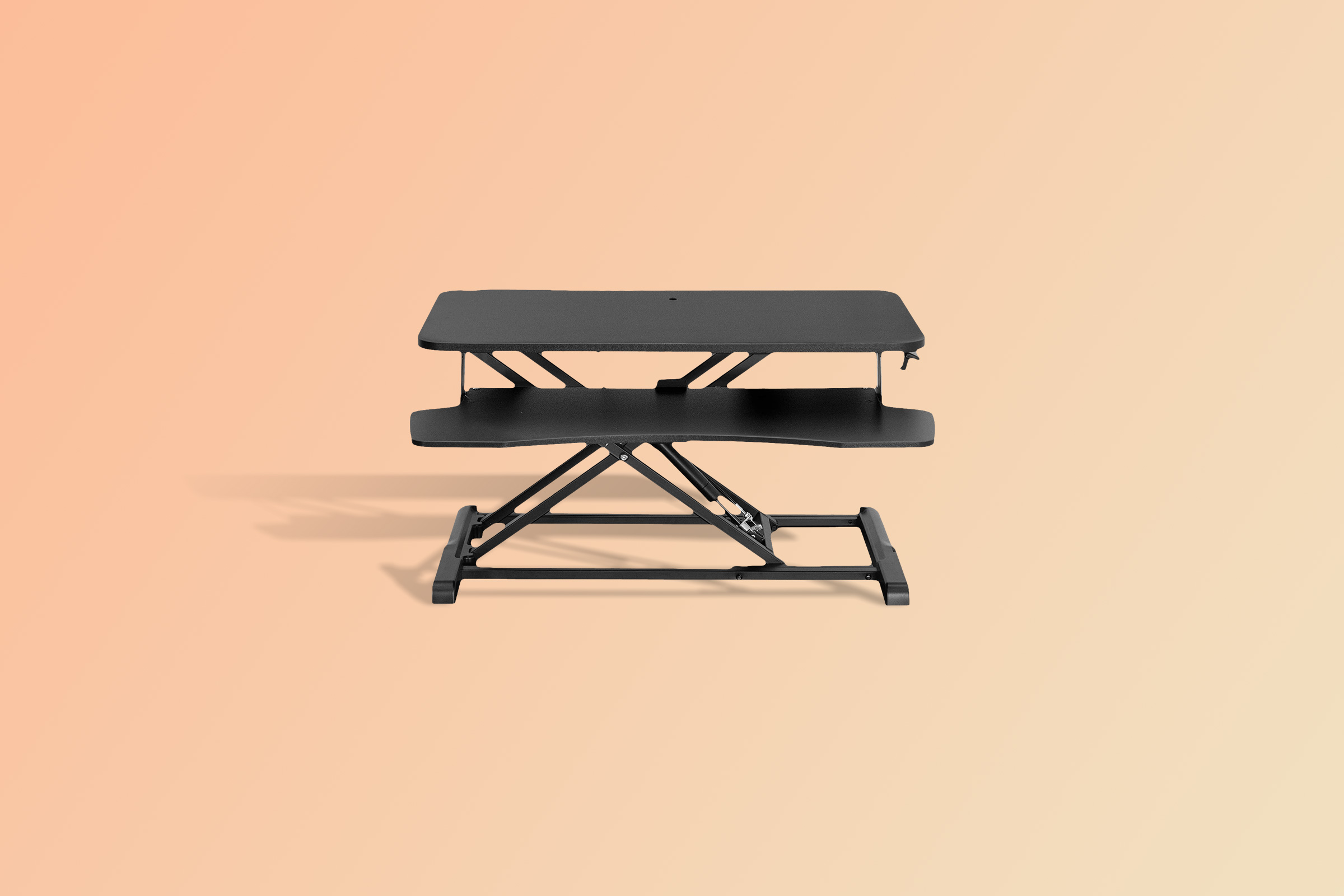
If the Ergotron prices are more than you want to spend, the VIVO 81cm Desk Converter is our value choice. It gives you a separate keyboard tray and straight upward adjustment for considerably less money.
Although the listing calls it an 81cm converter, VIVO’s supplied surface dimensions are 80 × 40 cm. Use those measurements when planning where your monitor stands will sit. The stated 11–51 cm adjustment range is also worth checking against your current desk and working height.
It was ranked number 1 in Computer Workstations on Amazon Australia when we checked. We found no independent owner rating at the retailers we check, so its sales position isn’t a reason to call it well reviewed.
Our take is that the published dimensions, adjustment range and warranty make this a sensible cheaper starting point. You do have to attach the keyboard tray, which matters if you want something ready straight from the box. Amazon Australia is the only retailer shown as stocking it in the supplied data; review the warranty and returns conditions before buying.
Pros
- Considerably cheaper than either Ergotron
- Keyboard tray rises with the monitor surface
- Three-year manufacturer warranty
Cons
- Keyboard tray needs attaching before use
- Setups above the stated 15 kg lift capacity need a different converter
Our verdict: The VIVO is the converter we’d buy on a moderate budget. Choose it if its dimensions and load limit suit your setup and you’re happy to attach the tray.
Lowest we've seen in 30 days · down $30.00 since 16 Nov
- Amazon$139.99In stock · as of 20 Nov, 5:16pmBuy at Amazon
Amazon price is accurate as of the time shown and can change. Other prices were checked on the retailer's site on the date shown.
4. Best budget pick without assembly: XICEN Standing Desk Converter
When keeping the cost down matters more than anything else, the XICEN Standing Desk Converter deserves a look. It’s the cheapest pick here, and XICEN says it arrives fully assembled.
The ready-to-use design should appeal if even a small assembly job would put you off buying a desk riser for standing. But check the stated 13.5 cm minimum height carefully. You still need a comfortable seated arrangement when the converter is lowered.
XICEN claims the base can hold up to 30 kg. We wouldn’t treat that wording as confirmation that you can raise and lower a 30 kg setup; check the moving load limit with the seller if your equipment is heavy.
It was ranked number 2 in Computer Workstations on Amazon Australia when we checked, and we found no independent owner rating at the retailers we check. Amazon Australia is its sole listed retailer in our data, so check the warranty and returns terms, particularly because no warranty duration was supplied.
Pros
- Lowest price among the six picks
- No assembly or tools required
- Separate tray accommodates a full-size keyboard and pointing device
Cons
- Minimum stated height of 13.5 cm needs checking against your seated setup
- Base capacity claim doesn’t establish the moving load limit
Our verdict: Buy the XICEN for its low price and ready-to-use design if the minimum height suits your desk. For heavy equipment, get the lifting limit confirmed first.
5. Best for a wide keyboard setup: ERGOMAKER 101cm Standing Desk Converter
If your keyboard and mouse feel cramped together, the ERGOMAKER 101cm Standing Desk Converter gives them a dedicated 91 cm-wide lower tier. The quick-release tray also lets you remove it when your setup doesn’t need one.
Our take is that the removable tray makes this worth considering for a setup you want to rearrange. The lower tier’s stated 2 kg limit is the catch: extra width doesn’t mean you can load it with heavy equipment.
It costs more than the VIVO, and we’d pay the difference for the tray arrangement rather than the sales ranking. It was ranked number 3 in Computer Workstations on Amazon Australia when we checked; we found no independent owner rating at the retailers we check.
Only Amazon Australia appears as a stockist in the supplied retailer data. Check how the two-year limited warranty and returns terms apply to the offer you choose.
Pros
- Wide lower tier gives keyboard and mouse more room
- Quick-release tray can be removed
- Costs considerably less than either Ergotron
Cons
- Lower tier has a stated 2 kg load limit
- Keyboard tray needs fitting
- More expensive than the VIVO
Our verdict: Choose the ERGOMAKER if a wide, removable keyboard tray solves your workspace problem. Otherwise, the cheaper VIVO is our value recommendation.
Lowest we've seen in 30 days · down $29.85 since 16 Nov
- Amazon$169.15In stock · as of 20 Nov, 5:16pmBuy at Amazon
Amazon price is accurate as of the time shown and can change. Other prices were checked on the retailer's site on the date shown.
6. Lower-cost 91cm pick: YSGOYS 91cm Desk Converter
For a budget below the VIVO’s price, the YSGOYS 91cm Desk Converter offers a stated 91 cm-wide desktop. That makes it worth considering if you want room across the surface without moving up to the ERGOMAKER’s price.
It was ranked number 7 in Computer Workstations on Amazon Australia when we checked. We found no independent owner rating at the retailers we check.
Where it falls short is the missing detail. The supplied specifications don’t give a numeric height range or load limit, so you can’t settle those two buying decisions from the information here. Our take is to choose it only after the seller confirms both. We’d otherwise spend more on the VIVO.
Amazon Australia is the only stockist identified in our data; ask about warranty cover and read the returns terms before placing an order.
Pros
- Lower price than the VIVO and ERGOMAKER
- Dedicated keyboard platform leaves the upper surface for your computer setup
Cons
- No numeric adjustment range supplied
- No load limit supplied for checking equipment compatibility
Our verdict: The YSGOYS is worth considering for its width and price once the seller confirms its height range and capacity. Without those answers, we’d buy the VIVO.
- Amazon$119.99In stock · as of 20 Nov, 5:16pmBuy at Amazon
Amazon price is accurate as of the time shown and can change. Other prices were checked on the retailer's site on the date shown.
How we chose
Our reviews are based on owner ratings where available, maker specifications, independent recommendations, and price and stock checks. None of these six picks had an independent owner rating available from the retailers we check. Independently recommended products come first, followed by picks selected on Amazon Australia sales rank, with specifications and price shaping our recommendations. All six were in stock at Amazon Australia in the supplied check.
Sit stand desk converter buying guide
If you want to convert a sitting desk to a standing desk
Measure your existing desk before choosing a stand up desk topper. Check the converter’s base dimensions as well as its upper surface, and allow space for the keyboard tray and cables.
A standing desk platform needs to fit your equipment, not just the empty tabletop. Measure the spread of your monitor stands and leave room for anything you want within reach.
If sitting becomes awkward after adding a riser
Check the lowest position as carefully as the highest. A sit stand desk conversion adds equipment above your existing desk, so make sure the lowered keyboard position will still suit your chair and arms.
For standing, consider the combined height of your desk and converter. Don’t choose from the maximum adjustment figure alone; check where the keyboard and screen will sit.
If you use two monitors
Add up the weight of both screens, their stands and everything else the converter will lift. Check whether the stated capacity applies to the moving platform, the upper surface or the base.
A wide surface doesn’t automatically mean the load limit suits your equipment. Separate keyboard-tray limits matter too.
If you need flexibility around the keyboard
Look for a removable tray when you want to change the arrangement. If you’ll always use a full-size keyboard and mouse, check the tray dimensions and the space you need to move the mouse comfortably.
Avoid paying for width you won’t use. A tray that fits your actual equipment is more useful than a larger one that crowds your desk.
If you’re unsure how much to spend
We’d start with the VIVO for value, or the XICEN when low cost and no assembly are your priorities. Spending more on an Ergotron makes sense when you want the WorkFit-TL’s ready-to-use design and warranty, or need the WorkFit Corner’s specific shape.
Before clicking through, check the current offer, seller, warranty coverage and returns conditions. Those details matter most if the converter turns out to be the wrong fit for your desk.