
The Best Cheap Keyboards in Australia
The best budget gaming keyboards in Australia, mechanical and membrane, with prices compared at Amazon, JB Hi-Fi and The Good Guys.
 By Laurence Deer

On this page
- The best cheap keyboards for gaming in Australia
- 1. Best budget keyboard for most people: Corsair K55 CORE RGB
- 2. Best affordable mechanical pick: Logitech G512 Carbon
- 3. Best for quiet gaming on a smaller desk: SteelSeries Apex 3 TKL
- 4. Best for wireless switch customisation: HyperX Alloy Rise 75 Wireless
- 5. Best for a compact layout with a number pad: Corsair Vanguard 96
- 6. Lowest-price magnetic-switch pick: MonsGeek FUN60 listing
- 7. Best for a low-profile Mac and Windows setup: Keychron K5 Max listing
- How we chose
- Cheap keyboards buying guide
- Frequently asked questions
You want a keyboard for work and gaming without spending more than you need. Among these cheap keyboards, we’d buy the Corsair K55 CORE RGB first: its low price, dedicated media buttons and encouraging owner score make it the sensible starting point, provided you don’t want mechanical switches.
If mechanical keys are the reason you’re upgrading, choose the Logitech G512 instead. The wireless picks below cost more, so they’re worth considering when they solve a specific problem with your setup.
The best cheap keyboards for gaming in Australia
- Best budget keyboard for most people: Corsair K55 CORE RGB
- Best affordable mechanical pick: Logitech G512 Carbon
- Best for quiet gaming on a smaller desk: SteelSeries Apex 3 TKL
- Best for wireless switch customisation: HyperX Alloy Rise 75 Wireless
- Best for a compact layout with a number pad: Corsair Vanguard 96
- Lowest-price magnetic-switch pick: MonsGeek FUN60 listing
- Best for a low-profile Mac and Windows setup: Keychron K5 Max listing
| Product | Price | ||
|---|---|---|---|
 | Corsair K55 CORE RGB Gaming Keyboard (CH-9226C65-NA) | from $66.00 at Amazon · 2 shops | $66.00 at Amazon |
 | Logitech G512 Carbon RGB Tactile Gaming Keyboard (920-009354) | from $124.00 at Amazon · 2 shops | $124.00 at Amazon |
 | SteelSeries Apex 3 TKL Compact Whisper Quiet IP32 Water & Dust-Resistant Gaming (64831) | from $91.98 at Amazon | $91.98 at Amazon |
 | HyperX Alloy Rise 75% Wireless Gaming Keyboard (91Y91AA#ABA) | from $203.61 at Amazon · 2 shops | $203.61 at Amazon |
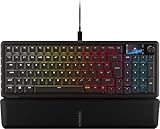 | Corsair Vangard 96 Mechanical Gaming Keyboard (CH-91E901F-NA) | from $219.00 at Amazon · 2 shops | $219.00 at Amazon |
 | MonsGeek FUN60 Ultra (AKKO01-00005-BLK) | from $68.79 at Amazon | $68.79 at Amazon |
 | Keychron Q15 Max | Unavailable | |
1. Best budget keyboard for most people: Corsair K55 CORE RGB
If you need to replace a tired keyboard and keep the spend down, start with the Corsair K55 CORE RGB. It’s a wired membrane keyboard, so this is the straightforward budget choice rather than an upgrade to mechanical switches.
We like spending on conveniences you’ll use. The dedicated media buttons let you change volume or playback without leaving what you’re doing. Corsair’s claimed spill resistance also gives you a reason to choose it if drinks regularly share your desk.
Its JB Hi-Fi owner rating is 4.88 out of 5 from eight reviews. That’s encouraging, although eight buyers can’t settle every question about long-term use. At our price check, Amazon Australia was cheaper than JB Hi-Fi.
Our take is that the K55 makes more sense than paying extra for a screen or programmable shortcuts you won’t use. But if you specifically want mechanical keys, buy the G512 below.
Pros
- Low purchase price for a gaming keyboard with dedicated media controls
- Volume and playback adjustments are easy to reach
- Claimed spill resistance offers some protection around drinks
Cons
- Membrane switches won’t satisfy a buyer seeking mechanical keys
- Wired connection limits cable-free desk setups
Our verdict: Buy the K55 CORE RGB for an inexpensive, practical work-and-gaming keyboard. Choose the Logitech instead if mechanical switches are essential.
- Amazon$66.00 LowestIn stock · as of 3 Nov, 5:16amBuy at Amazon
- JB Hi-Fi$79.00In stock · checked 1 NovView at JB Hi-Fi
Amazon price is accurate as of the time shown and can change. Other prices were checked on the retailer's site on the date shown.
2. Best affordable mechanical pick: Logitech G512 Carbon
When mechanical keys are the whole point of replacing your keyboard, the Logitech G512 Carbon is where we’d spend the extra over the K55. The Amazon listing specifies GX Brown tactile switches.
The tactile switch choice suits someone who wants feedback from a keypress. USB passthrough also gives you a convenient connection at the keyboard, which is useful when reaching your computer’s ports is awkward.
It scores 4.6 out of 5 from five reviews at The Good Guys. That’s a positive score from a small group, not enough to make sweeping claims about reliability. Amazon’s checked price was about half The Good Guys’ price, making the retailer comparison worth your time.
Where it falls short for a tight budget is the extra spend over the K55. We’d pay it for mechanical switches; we’d keep the money if media controls and basic gaming use are all you need.
Pros
- Tactile mechanical keys suit buyers wanting keypress feedback
- USB passthrough puts a connection within easier reach
- Per-key lighting allows more detailed colour customisation
Cons
- Costs more than the K55 CORE RGB
- Only five owner reviews support its rating
Our verdict: The G512 is our affordable mechanical recommendation. Buy it for the switches and USB passthrough, rather than spending extra merely for lighting.
- Amazon$124.00 LowestIn stock · as of 3 Nov, 5:16amBuy at Amazon
- The Good Guys$199.00In stock · checked 1 NovView at The Good Guys
Amazon price is accurate as of the time shown and can change. Other prices were checked on the retailer's site on the date shown.
3. Best for quiet gaming on a smaller desk: SteelSeries Apex 3 TKL
If your keyboard leaves too little room for your mouse and noisy keys would bother someone nearby, consider the SteelSeries Apex 3 TKL. Its tenkeyless layout removes the number pad, and SteelSeries describes its membrane switches as whisper quiet.
The smaller layout should make it easier to position the keyboard and mouse where you want them. The catch is straightforward: if you regularly enter figures with a number pad, you’ll miss it.
TechRadar recommends it as the best budget gaming keyboard for responsive controls and quiet membrane switches at an accessible price. We found no independent owner rating at the retailers we check. It was ranked number 68 in PC Gaming Keyboards on Amazon Australia when we checked.
Amazon Australia is the only retailer in our data stocking this pick; check the warranty and returns terms before ordering.
Pros
- Tenkeyless layout frees desk room for your mouse
- Claimed quiet switches suit noise-sensitive shared spaces
- Volume roller makes audio adjustments convenient
Cons
- No number pad for regular numerical entry
- Costs more than the K55 despite also using membrane switches
Our verdict: Choose the Apex 3 TKL when desk space and quieter keypresses matter more than a number pad. The K55 is better value if you don’t need the smaller layout.
- Amazon$91.98In stock · as of 3 Nov, 5:16amBuy at Amazon
Amazon price is accurate as of the time shown and can change. Other prices were checked on the retailer's site on the date shown.
4. Best for wireless switch customisation: HyperX Alloy Rise 75 Wireless
Moving between devices is frustrating when your keyboard can’t follow. The HyperX Alloy Rise 75 Wireless gives you wireless connections and room to change the switches later, making it a more flexible purchase if you already know what you want to customise.
The connection choices let you decide whether a cable belongs on your desk. Hot-swappable switches should also let you change the typing feel without replacing the whole keyboard.
HyperX’s battery figures depend heavily on lighting: it claims up to 80 hours with the backlight on and 1,500 hours with it off. Treat those as manufacturer estimates when deciding how often you’re willing to recharge.
The JB Hi-Fi score is 5 out of 5 from one review. One review doesn’t make this a proven favourite. It’s also substantially dearer than the Logitech, so our take is to buy it for wireless flexibility and customisation, not that perfect score.
Pros
- Wireless and wired connections accommodate different setups
- Replaceable switches let you change the feel later
- Device switching reduces the need for separate keyboards
Cons
- A substantial price step up from the G512
- Backlighting sharply reduces HyperX’s claimed battery life
- Its owner rating rests on one review
Our verdict: Buy the Alloy Rise 75 Wireless if you’ll use both wireless connectivity and replaceable switches. For a straightforward mechanical keyboard, the G512 costs much less.
- Amazon$203.61 LowestIn stock · as of 3 Nov, 5:16amBuy at Amazon
- JB Hi-Fi$379.00In stock · checked 1 NovView at JB Hi-Fi
Amazon price is accurate as of the time shown and can change. Other prices were checked on the retailer's site on the date shown.
5. Best for a compact layout with a number pad: Corsair Vanguard 96
You might want a smaller keyboard without giving up the number pad you use for work. The Corsair Vanguard 96 answers that with a 96% layout, though its price makes it a specialist choice in a guide to cheap gaming keyboards.
Corsair says the layout fits into a frame roughly the size of a tenkeyless keyboard. That’s the feature we’d buy it for: keeping numerical entry without committing to a more spread-out layout.
The programmable G-keys can also be mapped to Virtual Stream Deck functions. If you already want those shortcuts, there’s a reason to spend more. If you’ll leave them untouched, they’re an expensive addition.
At our Amazon price check, this was the dearest keyboard here, narrowly ahead of the HyperX. Its 5-out-of-5 JB Hi-Fi rating comes from one review, so it offers little reassurance on its own.
Pros
- Compact layout retains a number pad for work
- Programmable G-keys provide shortcuts for repeated tasks
- LCD can display customised information
Cons
- Highest checked Amazon price among these seven picks
- Wired connection won’t suit a cable-free setup
- Only one owner review behind the score
Our verdict: Choose the Vanguard 96 when a compact number-pad layout and programmable shortcuts solve a real need. It’s too much to spend for basic gaming controls alone.
- Amazon$219.00 LowestIn stock · as of 3 Nov, 5:16amBuy at Amazon
- JB Hi-Fi$249.00In stock · checked 1 NovView at JB Hi-Fi
Amazon price is accurate as of the time shown and can change. Other prices were checked on the retailer's site on the date shown.
6. Lowest-price magnetic-switch pick: MonsGeek FUN60 listing
If you want to adjust when a key registers without spending heavily, the MonsGeek FUN60 listing deserves a look. It has the lowest checked Amazon price here, but there’s a model-name mismatch to resolve before buying.
Adjustable actuation gives you control over how far you press before a key registers. That’s a reason to consider it if fixed switch behaviour is what you want to change.
The supplied recommendations from RTINGS and TechRadar concern affordable competitive gaming with adjustable magnetic switches, low latency and wireless connectivity. However, the Amazon listing here says FUN60 Pro and wired. Those recommendations don’t establish that this listing is the same wireless model.
We found no independent owner rating at the retailers we check. Amazon Australia is the only retailer in our data stocking this pick, so check the exact model, warranty and returns terms.
Pros
- Lowest checked purchase price in this guide
- Adjustable actuation lets you customise key registration
- Compact 60% format suits a space-conscious setup
Cons
- Model mismatch prevents confidently applying the supplied recommendations
- Listed wired connection won’t meet a wireless requirement
- Reduced layout needs checking against the keys you use daily
Our verdict: Consider this for low-cost magnetic-switch adjustment once you’ve confirmed the exact model. Don’t buy it expecting the wireless FUN60 described in the recommendations.
- Amazon$68.79In stock · as of 3 Nov, 5:16amBuy at Amazon
Amazon price is accurate as of the time shown and can change. Other prices were checked on the retailer's site on the date shown.
7. Best for a low-profile Mac and Windows setup: Keychron K5 Max listing
If you switch between a Mac, a Windows computer and other devices, the Keychron K5 Max listing offers useful connection and layout choices. The supplied pick name says Q15 Max, though the Amazon title and maker details describe a K5 Max.
The low-profile design is worth considering if you prefer shallower keys. Bluetooth switching across three devices also suits a desk where one keyboard needs to serve more than one screen.
The supplied AppleInsider recommendation is for the Q15 Max’s premium construction, satisfying typing feel and extensive customisation in a compact ortholinear layout. That recommendation cannot establish the merits of the differently named K5 Max listing.
We found no independent owner rating at the retailers we check. Amazon Australia is the only retailer in our data stocking this pick; confirm the K5 Max model and check warranty and returns terms. It costs more than the G512, so the low-profile design and device switching need to be things you’ll use.
Pros
- Mac and Windows support suits a mixed-computer setup
- Three-device Bluetooth switching helps consolidate keyboards
- Programmable keys let you customise shortcuts
Cons
- Q15 Max and K5 Max naming mismatch requires checking before purchase
- Costs more than the G512
- Supplied independent recommendation concerns a different model name
Our verdict: Consider the listed K5 Max for low-profile keys and a mixed Mac and Windows setup. Confirm the model first, and judge it on its own listed features.
How we chose
These reviews are based on owner ratings and review counts, supplied independent recommendations, maker specifications, and price and stock checks. All seven listings were in stock at Amazon Australia when checked. We give more weight to ratings backed by more reviews, then consider useful features and price; model mismatches place the MonsGeek and Keychron listings last. No pick is included on sales rank alone.
Cheap keyboards buying guide
If you’re trying to spend as little as possible
Start with what needs fixing. If your current keyboard is unreliable and you want accessible media controls, our K55 recommendation keeps the spend low. If mechanical switches are essential, the G512 is the more straightforward upgrade.
The cheapest keyboard here is the MonsGeek listing. Its price is appealing, but checking the model matters more than saving a little extra.
If your mouse keeps running out of room
Look at the layout before the lighting. A tenkeyless keyboard leaves out the number pad; smaller percentage layouts reduce the key arrangement further. Check a layout image against the keys you use for games and work.
The Apex 3 TKL suits someone willing to lose the number pad. The Vanguard 96 is worth considering if numerical entry is part of your day.
If you want a cheap mechanical keyboard
Decide whether you want tactile feedback, a linear switch or adjustable magnetic actuation. Don’t assume the word “mechanical” tells you everything about how the keys will feel.
We’d choose the G512 for its specified tactile switches. The HyperX makes more sense when changing switches later is part of the plan. The MonsGeek listing needs an exact-model check before its low price can settle the decision.
If you work and game across devices
Check which connection modes support the switching you need. Wireless flexibility can justify extra spending when it replaces the inconvenience of reconnecting a keyboard each time.
The HyperX offers wired, 2.4 GHz and Bluetooth connections. The listed Keychron adds a Mac layout with Windows compatibility, but its naming mismatch needs resolving.
If quiet keys matter
Prioritise an explicit maker claim about noise rather than assuming every membrane keyboard is quiet. Corsair describes the K55’s keypresses as quiet; SteelSeries makes a similar claim for the Apex 3 TKL.
Neither claim supplies a measured noise level. Choose between them on price and layout rather than treating “quiet” as a guarantee of silence.
If a high polling rate catches your eye
Polling rate describes how often the keyboard reports to the computer. A large number alone doesn’t establish how a keyboard will perform for you.
Our take is to settle layout, switches and connection type first. Those are decisions you’ll notice throughout the day, and they’re easier to match to what you need.
If you eat or drink at your desk
Spill resistance is useful protection, not a reason to stop being careful. The K55 has a manufacturer-stated spill allowance, while the Apex 3 TKL lists IP32 water and dust resistance.
Follow the exact model’s cleaning instructions. Water resistance doesn’t establish that a keyboard can be rinsed or submerged.
Frequently asked questions
What is the best budget gaming keyboard here?
The Corsair K55 CORE RGB is our recommendation for most buyers who want to keep costs down. Choose the Logitech G512 if mechanical keys are a requirement, or the SteelSeries Apex 3 TKL if you want a smaller layout with manufacturer-described quiet switches.
Which is the cheapest keyboard in this guide?
The MonsGeek FUN60 listing had the lowest Amazon Australia price at our check. Confirm whether you’re ordering the listed wired FUN60 Pro, because the supplied pick name and recommendations refer to the Ultra.
Is the cheapest mechanical keyboard always the best buy?
We’d put the right layout and switch behaviour ahead of a small saving. A compact keyboard that leaves you missing frequently used keys is poor value for your needs, however attractive its price.
Do I need a number pad for gaming?
That depends on the controls you use and whether the keyboard also handles work. If numerical entry is frequent, retain it. If it mostly takes up space beside your mouse, a tenkeyless layout is worth considering.
You may also be interested in: