ⓘ We are reader-supported and may earn a small commission at no additional cost to you if a purchase is made through one of our links.
The best mechanical keyboard can help improve your PC gaming and typing experience. However, keyboards with mechanical switches are more expensive than their membrane counterparts. On the bright side, mechanical keyboards provide you with a long list of benefits, making them an excellent choice for anyone who is looking for a keyboard upgrade.
To begin with, they offer a wide variety of switches, each of which caters to a different feel and taste. Cherry MX Blue switches, for example, come with a resounding “click” sound with every keystroke, while Cherry MX Red ones are more responsive, thanks to their shorter actuation distance, making them more popular with gamers.
TL; DR: The #1 Mechanical Keyboard for Most People 👇
No products found.
Mechanical keyboards are also far more customisable on account of their easily removable keycaps, allowing you to easily switch out your stock ones to whatever better suits your style. Finally, there’s durability. Mechanical switches last longer than those of the membrane variety, with some of them lasting up to 100 million keystrokes.
The Best Mechanical Keyboards to Buy Today in Australia
- Best Overall: Corsair K95 RGB PLATINUM XT Mechanical Gaming Keyboard
- Best for Most People: Logitech G Pro X Mechanical Gaming Keyboard
- Best Programmable Mechanical Keyboard: Best Tenkeyless Mechanical Keyboard: Corsair K70 RGB TKL – Champion Series
- Best Value Mechanical Keyboard: RK ROYAL KLUDGE RK61 2.4Ghz Wireless/Wired 60% Mechanical Keyboard
- Best Budget Mechanical Keyboard: Redragon K530 Draconic 60% Compact RGB Wireless Mechanical Keyboard
1. Best Overall: Corsair K95 RGB PLATINUM XT Mechanical Gaming Keyboard
No products found.
The is not only durably built but also offers a long list of features that will dramatically boost your gaming experience.
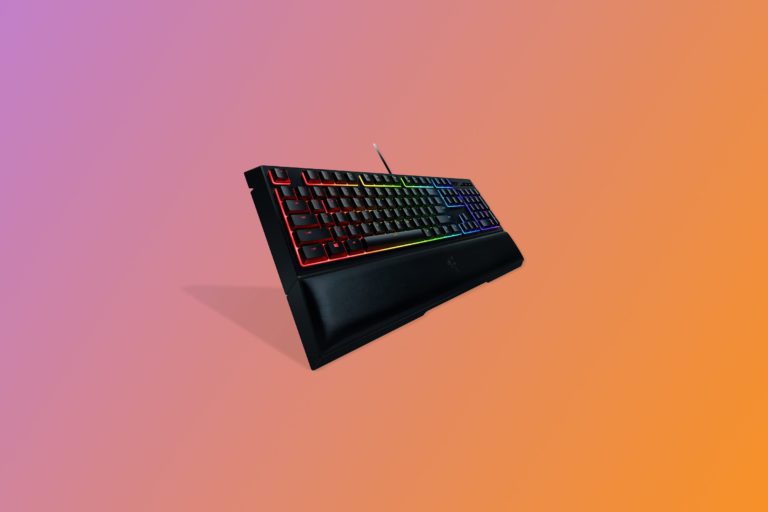
For starters, it has a cushioned palm rest that will provide you with maximum comfort during gameplay. As such, you will be able to play your favourite titles extensively without experiencing any discomfort.
Plus, the palm rest is detachable, so you can always remove it if you don’t need it. The keycaps are precision moulded with every user’s needs in mind, making this one of the best mechanical gaming keyboards that you can purchase.
Besides, the chassis is made of high-quality aluminium for durability purposes, while the keycaps are double-shot to prevent premature wear. That being said, the keyboard will stay in top-class condition provided that you give it proper care.
To make it even better, the Corsair K95 is compatible with both macOS and Windows operating systems. The Cherry MX key switches provide a satisfying amount of tactile feedback, so you will know if your inputs have been registered or not.
Also, the keyboard has a USB pass-through port that allows you to connect USB-enabled devices directly to the keyboard. Moreover, it can work with most gaming headsets, microphones, and mouse.
The dynamic RGB lighting on this mechanical keyboard will completely change your gaming setup. With the help of the iCUE software, you can customise the lighting according to your preference.
The macro keys on the left side of the keyboard will give easy access to the configured functions, while the dedicated multimedia keys allow for quick volume customisation.
2. Best for Most People: Logitech G Pro X Mechanical Gaming Keyboard
No products found.
Ever look at your mechanical keyboard and just wish you could replace its switches with another variety? Maybe you’re sick of the clickety-clack that your Cherry MX Blues make and want to replace them with something more subtle like the MX Browns.
Usually, this is a risky and complicated process, but the actually makes this its selling point. Not only can you swap out your switches easily, but you’re also getting a peripheral that oozes style and performs exceptionally.
Furthermore, the keyboard comes with your choice of Logitech’s signature GX Blue, GX Brown, or GX Red switches, while the rest of them can be purchased separately for whenever you want your installed switches replaced.
The G Pro X Keyboard’s minimalist RGB lighting is subtle but charming, making it great for both gaming and work. It’s extremely well-built from its frame to its keycaps, so you can expect it to last for many years even with intense usage.
In addition to this, the Logitech G HUB will enable you to personalise the keyboard based on your mood and the type of game that you are playing. The keyboard’s USB connector features a three-prong design, so don’t expect it to come loose during gameplay.
To add to this, the G Pro X isn’t particularly expensive, but if you plan on collecting all the different switch varieties, then be prepared to spend some serious coin. The other downside of using this keyboard is that some of the characters may wear out with time.
If these things don’t bother you much and you’re dead set on a hot-swapping mechanical keyboard, the Logitech G Pro X keyboard is hands down the best choice.
3. Best Tenkeyless Mechanical Keyboard: Corsair 15666437 K70 RGB TKL – Champion Series
No products found.
The is the successor to the brand’s flagship K95 Vengeance, offering up a design akin to its predecessor but with more impressive RGB lighting and some upgraded switches.
You get to choose from 3 different Cherry MX switches, either the MX Speed, MX Red, or MX Brown, all of which perform exceedingly well. The keyboard’s aluminium frame is phenomenally sturdy and able to withstand daily doses of the most intense video game sessions. It comes with a nifty detachable wrist rest and some extra keys.
With up to six macros keys, you can configure the keyboard according to your needs. This will greatly reduce your reaction time during gameplay, thus increasing your chances of coming out victorious.
This mechanical keyboard also allows you to save multiple custom profiles that you can use when playing different titles. That way, you won’t have to reconfigure the programmable keys each time you are gaming.
The volume roller will give you full control over your audio system, so you can increase or dial down the volume at will. There is also an instant mute button that can come in handy in different scenarios
Fans of clicky switches will be disappointed with the lack of a Cherry MX Blue variant and its steep price tag might be off-putting to some, but if you can get past those shortcomings, you’ll find that the Corsair K95 RGB Platinum is among the greatest mechanical gaming keyboards around.
4. Best Value Mechanical Keyboard: RK ROYAL KLUDGE RK61 2.4Ghz Wireless/Wired 60% Mechanical Keyboard
No products found.
If you’re looking for a stylish, compact, and customisable keyboard, the is the perfect choice for you! The compact design comes with 61 keys, which eliminates the number pad and dedicated arrow keys, giving you a keyboard that’s small enough to easily fit in a backpack.
Aside from the small size and sleek design, you also get a product that’s built with durability in mind. With a metal base plate and sturdy plastic frame, you get a long-lasting keyboard that you can use with multiple devices. It also has ABS keycaps that help ensure these last you a long time.
For connectivity, this keyboard has a USB-C cable, a Bluetooth 5.0 option, and 2.4Ghz connection. You can also pair this keyboard with three of your devices, with the keyboard remembering each one easily. Furthermore, it’s usable wired, particularly when you want to use it for gaming or for longer than the 10 hours of power that the 1450 mAh battery provides during wireless usage.
When it comes to customisation, there are a few things you can change on this keyboard. First, you can swap out the keys on it to help you create a truly custom keyboard. Second, you can replace the switches to make a noisier clicky keyboard or a quieter tactile one.
The RK61 comes with brown quiet switches, which are quieter but have a tactile effect. If you want your keyboard to be more clicky, which is great for when you’re typing documents and reports, you might want to get blue replacement switches for it. These are sold separately.
Also worth mentioning is the colourful RGB backlight that you can adjust with the help of combination keystrokes. You can adjust the speed, brightness, and colours of your keyboard backlights easily by pressing the FN key and a combination of other keys. It has 18 RGB backlight modes and an additional 8 monochrome modes for you to choose from.
5. Best Budget Mechanical Keyboard: Redragon K530 Draconic 60% Compact RGB Wireless Mechanical Keyboard
No products found.
If you’re looking for a small keyboard that’s chock-full of features even in its minuscule size, the is the keyboard for you. This compact and portable keyboard comes with a 60% layout that features a tenkeyless (TKL) design, which uses only 61 keys but doesn’t lack for functionality and features.
With its rather small 11.5 x 3.9 x 1.4-inch size, the Redragon K530 Draconic is indeed super portable and space-saving too. This size is something FPS gamers are sure to love, since it frees up lots of desk space, providing more room for mouse movement and allowing for optimal manoeuvrability in-game.
For those who love connecting their devices to an external keyboard, this one’s perfect for you. With its 3.0/5.0 Bluetooth and 2.4Ghz connectivity, you can connect three devices to your keyboard all at the same time. When you want to use your keyboard with your tablet, smartphone, or PC, simply toggle to the device you want to use, and you’re good to go!
Another great feature you’ll enjoy with this compact device is its RGB illumination builder. Customise your keyboard’s backlight effects with the help of the available 13 dynamic presets or create your own light show with the help of the free software you can download for this keyboard.
When power is low on your 3000 mAh battery during wireless use, you can easily charge your keyboard with the help of the device’s accompanying cable. It has a two-in-one cable that can be easily changed from a USB-C to a USB-A in a snap. To charge, simply plug in the power cable and connect to your PC. Oh, and you can also use it while it’s charging and plugged into your computer, allowing for continuous use as you power it back up.
This mechanical keyboard allows you to hot-swap keys with ease. As such, you can replace switches and keys with compatible ones at any time. Don’t want the clicky sounds your keyboard is making with its blue switches? Swap it out with quieter, tactile brown switches with the help of the switch puller and keycap puller, which are both included with the keyboard.
How We Researched the Best Mechanical Keyboards
We spent hours researching the best mechanical keyboards, consulting professional product review sites, and reading customer reviews on major e-commerce sites such as Amazon and eBay. This allowed us to identify some of the best-selling and top-rated mechanical keyboards currently available in the Australian market.
Also, we visited local online stores such as Harvey Norman and Kogan to see what Aussies prefer. We chose 12 mechanical keyboards from 8 different brands and made comparisons based on Layout, Build quality, Connectivity, Switch type, and Ergonomics.
This enabled us to identify mechanical keyboards that lacked the features that we were looking for. We were left with 5 mechanical keyboards, which we evaluated and ranked based on our research findings.
Mechanical Keyboards: Buying Guide
The mechanical takeover is here as keyboards with membrane switches are steadily being phased out, particularly in the gaming scene. But gaming keyboards aren’t the only ones making the switch, with more and more mechanical keyboards geared towards typing and general use entering the market.
Whether you’re a gamer looking to take your gaming skills to the next level or a writer itching for the most satisfying keystroke, ensure that you pick the most ideal mechanical keyboard for your needs. This guide highlights a few pointers that can help you in your search for the best mechanical keyboard.
What to Consider When Buying a Mechanical Keyboard
Not all mechanical keyboards are built equal. Some models are more durable and also offer more features than others. With that being said, you need to pick a peripheral that offers the best of both worlds without breaking the bank.
To achieve this, there are a number of things that you should keep in mind as you sift through the options currently available in the Australian market:
Layout
Mechanical keyboards offer a range of layouts that you can choose from based on your needs and preference. Finding the right layout is very important as this will determine your overall performance during gameplay or when typing.
Most mechanical keyboards on the market feature a full-size layout, which is often made up of 104 keys. Nonetheless, some are fitted with additional keys, so it will all depend on the model that you pick.
You can also go for tenkeyless mechanical keyboards if you are looking for a compact unit. However, keyboards with this type of layout lack the number pad. Alternatively, you can pick 60% or 75% layout mechanical keyboards.
Both the former and the latter are somewhat similar to the tenkeyless layout, but the only difference is that some of the navigation keys have been removed and the keys are also closely spaced, making the keyboard even more compact.
If you find the full-size layout too large for your desk, you can pick the 96% layout. It has virtually all the keys found on a full layout mechanical keyboard.
Build quality
Build quality defines how well the keyboard is built. Before buying a mechanical keyboard, you need to check the type of materials from which the chassis, keycaps, panel, and switches are made.
If you are after durability, we recommend that you buy a mechanical keyboard with an aluminium chassis. Also, the characters on the keys should be made in such a way that they won’t rub off with time
Connectivity
When it comes to connectivity, you can go for a wired or wireless mechanical keyboard. Wired mechanical keyboards have a straightforward design, so they are very easy to use. In addition to this, you won’t have to charge them from time to time since they draw power directly from the computer. The only disadvantage of using a wired keyboard is that you have to manage the cables properly to avoid clutter.
Wireless keyboards, on the other hand, can connect to your computer via USB dongle or Bluetooth. You may or may not experience latency when using a wireless keyboard. Additionally, you should pick a wireless keyboard with a large capacity battery. On the plus side, wireless keyboards provide you with a cleaner setup.
Switch type
Under each keycap is a mechanical switch that allows you to key in your inputs into the computer. Mechanical keyboards are fitted with three main types of switches—tactile, linear, or clicky switches. When you press down a tactile switch, you will feel a slight bump as the key travels downward, thus notifying you that the input has been registered.
Clicky switches are somewhat similar to tactile switches, but the main difference is that they produce a click sound not found in tactile switches. Linear switches are the quietest of the three. They don’t produce a clicking sound, and neither do they create a bump when the keypads are pressed.
Ergonomics
You should go for a mechanical keyboard that is ergonomically designed to get the level of comfort that you need. For example, the features a wrist rest that will cushion your hands.
You may also be interested in:
- The Best Budget Gaming Keyboards for Quality Controls Without the Cost
- The Best Budget Gaming Mouse for Premium Precision
- The Best Gaming Headsets for Great Gaming Experiences
- The Best Wireless Keyboards for Wire-free Work
- The Best Gaming Keyboards for Serious Gamers
Last update on 2026-08-17 / Affiliate links / Images from Amazon Product Advertising API