
The Best Desk Mat in Australia
The best desk mats in Australia, leather, felt and large mouse pads, with prices compared at Amazon and JB Hi-Fi.
 By Laurence Deer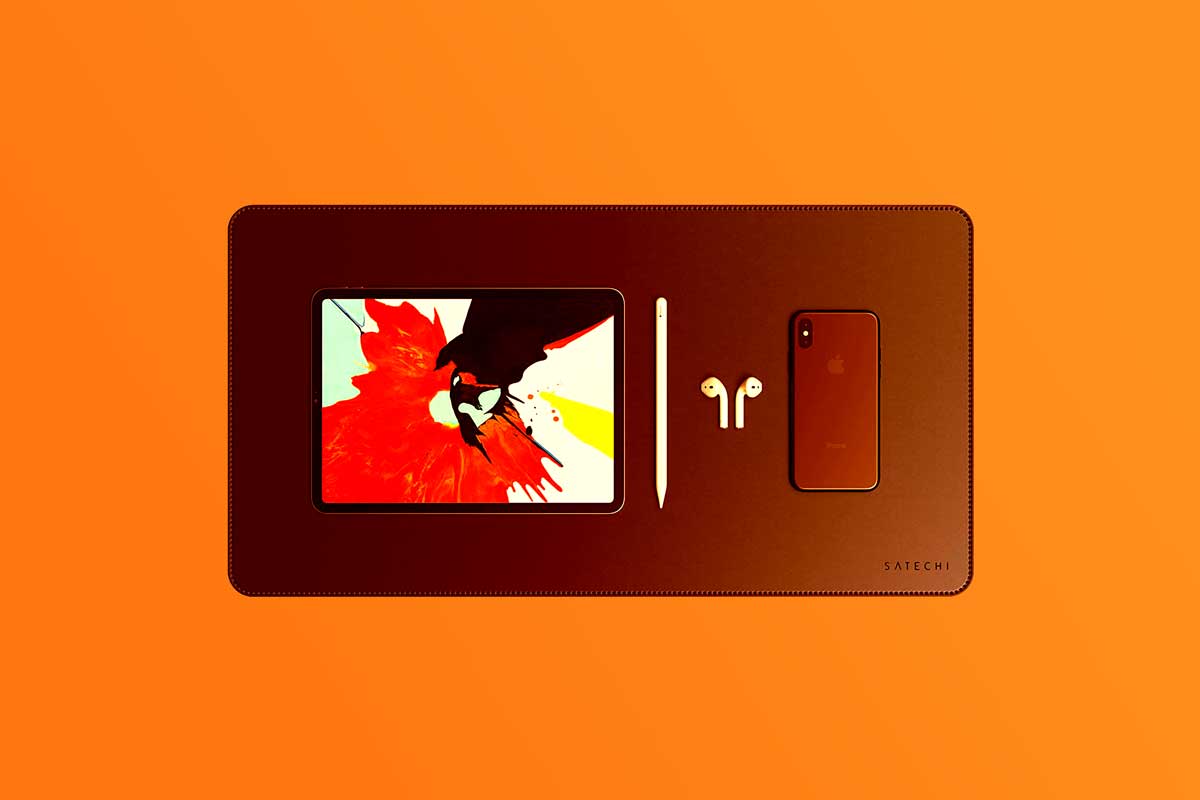
On this page
- The best desk mats in Australia
- 1. Best overall: Logitech Studio Series Desk Mat
- 2. Best for typing and writing: Satechi Vegan Leather Premium Desk Mat
- 3. Best for a broad working area: Nordik Leather Desk Mat
- 4. Best for papers and cables: Orbitkey Desk Mat
- 5. Best for a desk with a monitor stand: Twelve South DeskPad
- 6. Best with wireless charging: Laser ChargeCore Wireless Charging Desk Mat
- 7. Best budget pick for Marvel fans: Geek X Marvel Logo Desk Mat
- How we chose
- Desk mat buying guide
Your keyboard, mouse and coffee cup all need space, but you don’t want to spend a fortune protecting the desk underneath them. The best desk mat for most people is the Logitech Studio Series Desk Mat: it combines a spill-repellent cloth surface with a 4.7 out of 5 owner score from 69 JB Hi-Fi reviews, at a lower price than most picks here.
Pay more when there’s a particular problem to fix. Satechi suits a mixed typing-and-writing workspace, Nordik gives you a broad working area, and Orbitkey is worth considering when loose papers and charging cables keep getting in the way.
The short answer
The best desk mats in Australia
- Best overall: Logitech Studio Series Desk Mat
- Best for typing and writing: Satechi Vegan Leather Premium Desk Mat
- Best for a broad working area: Nordik Leather Desk Mat
- Best for papers and cables: Orbitkey Desk Mat
- Best for a desk with a monitor stand: Twelve South DeskPad
- Best with wireless charging: Laser ChargeCore Wireless Charging Desk Mat
- Best budget pick for Marvel fans: Geek X Marvel Logo Desk Mat
| Product | Price | ||
|---|---|---|---|
 | Logitech Desk Mat (956-000045(DESKMAT)) | from $24.00 at Amazon · 2 shops | $24.00 at Amazon |
 | Satechi Vegan Leather Premium Desk Mat (Marron) | from $79.00 at Amazon · 2 shops | $79.00 at Amazon |
 | Nordik By Design Nordik Leather Desk Mat (LMPBL1) | from $33.97 at Amazon | $33.97 at Amazon |
 | Orbitkey Desk Mat (ORBIT-DKMT-LG1-BKBK) | from $155.00 at Amazon | $155.00 at Amazon |
 | Twelve South DeskPad (TS-2258) | from $79.00 at Amazon | $79.00 at Amazon |
 | Laser ChargeCore Wireless Charging Desk Mat (WC-MATB-792) | from $75.72 at JB Hi-Fi · 2 shops | $75.72 at JB Hi-Fi |
 | Geek X Marvel - Logo Desk Mat (672MAR015) | from $19.98 at Amazon · 2 shops | $19.98 at Amazon |
1. Best overall: Logitech Studio Series Desk Mat
If you just want a comfortable place for your keyboard and mouse, the Logitech Studio Series Desk Mat is where we’d spend the money. You don’t need an organiser or charger to make that purchase worthwhile.
Logitech says the fine-weave cloth allows smooth, quiet mouse movement. That’s a useful priority when the mat will spend most of its life under your keyboard and mouse, rather than being bought mainly for its appearance.
The 4.7 out of 5 score at JB Hi-Fi comes from 69 reviews. We give that more weight than the perfect scores from one or three buyers further down this guide. And the Logitech costs much less than the Satechi, so choosing cloth doesn’t require an expensive purchase.
The catch is the base: it contains latex. If you need to avoid that material, choose another mat rather than treating the low price as the deciding factor.
Pros
- Low-cost way to cover your keyboard and mouse area
- Cloth weave designed to make mouse movement easier
- Strong owner score backed by 69 reviews
Cons
- Latex-containing base rules it out if you need to avoid latex
Our verdict: Buy the Logitech for a straightforward everyday workspace. It’s our best overall choice because the price and owner rating make sense together.
- Amazon$24.00 LowestIn stock · as of 25 Oct, 11:16amBuy at Amazon
- JB Hi-Fi$39.00In stock · checked 25 OctView at JB Hi-Fi
Amazon price is accurate as of the time shown and can change. Other prices were checked on the retailer's site on the date shown.
2. Best for typing and writing: Satechi Vegan Leather Premium Desk Mat
Switching between your keyboard and handwritten notes calls for a mat intended for both jobs. The Satechi Vegan Leather Desk Mat is our choice if you want a leather-look writing surface as well as somewhere for your computer gear.
Satechi describes it as a writing surface as well as a desk pad for keyboards and peripherals. That makes it a sensible choice when your workspace needs to accommodate more than mouse movement. The company also says the water-resistant finish can be cleaned with a damp cloth and mild soap, which gives you a clear way to deal with everyday marks.
Its JB Hi-Fi score is 4.65 out of 5 from 26 reviews. That’s encouraging, though still a fairly small group of owners.
Our take is that the extra cost makes sense for someone who specifically wants this finish and mixed-use design. If you mainly type and use a mouse, the cheaper Logitech is the better buy.
Pros
- Designed to accommodate both computer work and writing
- Straightforward cleaning instructions for everyday upkeep
- Two-year warranty provides a defined support period
Cons
- Costs substantially more than the Logitech
- Owner score rests on just 26 reviews
Our verdict: Choose the Satechi for a desk where typing and writing share the same space. Skip the extra spend if a basic cloth mat already answers your needs.
- Amazon$79.00 LowestIn stock · as of 25 Oct, 11:16amBuy at Amazon
- JB Hi-Fi$79.00 LowestIn stock · checked 25 OctView at JB Hi-Fi
Amazon price is accurate as of the time shown and can change. Other prices were checked on the retailer's site on the date shown.
3. Best for a broad working area: Nordik Leather Desk Mat
A laptop, mouse and notebook can quickly spread beyond a small pad. The Nordik Leather Desk Mat gives you an 89 × 43 cm area without the price of the more expensive leather-look picks here.
The dimensions are the reason to choose it. Measure that rectangle on your desk before ordering: the extra coverage is useful only if it leaves room for the rest of your setup. Nordik also lists a cable organiser, which should help keep a lead from wandering across the working area.
Best Standing Desks Australia recommends it as its best overall choice for its comfortable suede backing, stitched vegan-leather finish and cable slots.
We found no independent owner rating at the retailers we check. It was ranked number 7 in Mouse Pads on Amazon Australia when we checked, but its place here also reflects that independent recommendation. Amazon Australia is the only retailer in our data that stocks it, so check the warranty and returns terms before buying.
Pros
- Broad surface for spreading out computer gear and notes
- Cable organiser helps keep a lead away from the working area
- Lower price than the Satechi, Twelve South and Orbitkey
Cons
- Its 89 × 43 cm footprint needs careful checking on a small desk
- No retailer owner score to help assess the purchase
Our verdict: The Nordik is our choice when you need a broad mat at a modest price. Buy it for the space, provided you’ve checked the fit and are comfortable buying without an owner rating.
- Amazon$33.97In stock · as of 25 Oct, 11:16amBuy at Amazon
Amazon price is accurate as of the time shown and can change. Other prices were checked on the retailer's site on the date shown.
4. Best for papers and cables: Orbitkey Desk Mat
If loose notes and charging leads keep taking over your working space, the Orbitkey Desk Mat addresses the clutter directly. Its appeal is organisation, rather than simply covering the desk.
The document hideaway gives loose papers somewhere to go, while the movable magnetic cable holder keeps a lead within reach. Those are practical reasons to spend more if papers and cables are the things that bother you every day.
Popular Science recommends it for its elegant finish, hidden document storage and magnetic cable organiser that help keep workspaces tidy. We found no independent owner rating at the retailers we check.
This is the dearest pick in the guide. Our take is that it earns consideration when you’ll use the storage, but it’s hard to justify for a desk that’s already tidy. Amazon Australia is the only retailer in our data that stocks it; check the warranty and returns terms before committing.
Pros
- Keeps loose documents beneath the working surface
- Gives stationery and small accessories a dedicated place
- Adjustable cable holder keeps a lead accessible
Cons
- Highest purchase price among these seven picks
- No retailer owner rating to support the extra spend
Our verdict: Buy the Orbitkey when paper and cable organisation are worth paying for. For simple desk protection, we’d keep the money and choose the Logitech.
- Amazon$155.00In stock · as of 25 Oct, 11:16amBuy at Amazon
Amazon price is accurate as of the time shown and can change. Other prices were checked on the retailer's site on the date shown.
5. Best for a desk with a monitor stand: Twelve South DeskPad
A mat that competes with your monitor stand for space is an awkward purchase. The Twelve South DeskPad is worth considering because Twelve South says its depth is designed to avoid interfering with display bases and risers.
That layout focus is its strongest selling point. Twelve South also says the surface provides resistance for precise mouse movement, so this is a considered alternative to cloth if you want a leather-look workspace. Check the listing’s dimensions against your actual monitor setup before buying; the supplied specifications don’t give an exact footprint.
Popular Science recommends it as its best overall desk pad for its comfortable vegan-leather surface, spill resistance and mouse performance. We found no independent owner rating at the retailers we check.
It costs much more than the Logitech. Amazon Australia is the only retailer in our data that stocks it, so check the warranty and returns terms, particularly if fit is the reason you’re choosing it.
Pros
- Design accounts for the space occupied by a display base
- Cushioned surface intended to make desk work more comfortable
- Felt-like backing helps protect the surface underneath
Cons
- Exact dimensions need checking before you can judge the fit
- Substantially dearer than the Logitech without a retailer owner score
Our verdict: Consider the DeskPad when your monitor base makes mat placement difficult and you want a leather-look finish. Confirm the measurements before paying extra for that design.
- Amazon$79.00In stock · as of 25 Oct, 11:16amBuy at Amazon
Amazon price is accurate as of the time shown and can change. Other prices were checked on the retailer's site on the date shown.
6. Best with wireless charging: Laser ChargeCore Wireless Charging Desk Mat
If you want phone charging built into the same area as your keyboard and mouse, the Laser ChargeCore Desk Mat combines those jobs. Check your device’s charging compatibility before making that the reason to buy.
Laser lists a detachable charging panel, so you can adjust its position to suit your workspace. The important catch is that the USB power adapter isn’t included. Don’t assume the supplied cable is everything you need to get charging.
Its 5 out of 5 score at The Good Guys comes from just three reviews. That’s a promising start, but too few to make it our general recommendation. Amazon’s checked price was also higher than JB Hi-Fi’s, so compare the current offers before buying.
Pros
- Combines a desk mat and compatible-device charging
- Removable charging panel allows placement adjustments
- Reversible surfaces give you a choice of finish
Cons
- May require a separate power-adapter purchase
- Perfect owner score rests on only three reviews
- Amazon cost more than JB Hi-Fi at our price check
Our verdict: Choose the Laser if integrated wireless charging solves a daily annoyance. Check device compatibility, the adapter requirements and the current price first.
- JB Hi-Fi$75.72 LowestIn stock · checked 25 OctBuy at JB Hi-Fi
- Amazon$99.95In stock · as of 25 Oct, 11:16amView at Amazon
Amazon price is accurate as of the time shown and can change. Other prices were checked on the retailer's site on the date shown.
7. Best budget pick for Marvel fans: Geek X Marvel Logo Desk Mat
For a Marvel fan’s homework or gaming desk, the Marvel Logo Desk Mat makes more sense than paying for a plain mat they don’t particularly want. It’s the cheapest pick here, and the officially licensed design is its main reason to buy.
Its JB Hi-Fi rating is 5 out of 5 from one review. One score doesn’t tell us enough to call it well reviewed, so our recommendation rests on the low price and the Marvel design.
The supplied data doesn’t include exact dimensions. Check those before ordering, especially for a small study desk. We’d choose the Logitech for a general workspace; this one earns its place when the branding is part of the appeal.
Pros
- Lowest price among these picks
- Licensed Marvel design suits a fan’s desk
- Intended to serve as both a writing surface and mouse pad
Cons
- A single owner review offers little reassurance
- Exact size needs confirming in the listing
Our verdict: Buy it for a Marvel fan who needs an inexpensive study or gaming mat. Choose the Logitech if the design doesn’t matter to you.
- Amazon$19.98 LowestIn stock · as of 25 Oct, 11:16amBuy at Amazon
- JB Hi-Fi$19.98 LowestIn stock · checked 25 OctView at JB Hi-Fi
Amazon price is accurate as of the time shown and can change. Other prices were checked on the retailer's site on the date shown.
How we chose
These reviews are based on owner ratings and review counts, maker specifications, independent recommendations, and price and stock checks. We put more weight on ratings backed by more owners, then considered which features justify the price for a particular need. Independent recommendations support picks without owner scores; a perfect rating from very few reviews carries less weight. All seven picks were in stock at Amazon Australia when checked.
Desk mat buying guide
If your desk feels cramped, measure before choosing
Mark out the proposed mat’s width and depth with a tape measure. Leave space for your monitor base, speakers and anything you don’t want sitting on the mat.
Full-desk coverage isn’t the goal for everyone. A pad that comfortably holds your keyboard and mouse may be enough. If you spread out notes or work beside a laptop, allow for those too.
If you switch between typing and writing, check the intended uses
Choose a mat the maker specifically describes as a writing surface. Satechi and the Marvel mat both list that use.
For computer work, look for a surface intended for mouse movement rather than buying on appearance alone. Our desk mat materials guide explains the broader choices.
If spills are the worry, read the cleaning instructions
Water-resistant, water-repellent and waterproof aren’t interchangeable promises. Follow the exact wording and cleaning instructions for the mat you’re considering, and wipe up spills rather than leaving them sitting there.
A desk mat can be useful protection, but it doesn’t remove the need to look after the desk beneath it.
If clutter is the problem, pay for features you’ll use
A plain mat won’t put your papers away. Orbitkey’s document hideaway answers that problem directly; cable organisers address a different one.
Decide what keeps interrupting your work before paying for extras. There’s more on the purpose of desk mats if you’re still working out what you need.
If you want wireless charging, check the whole setup
Confirm your phone or earbuds support the listed charging system. Then check what’s included, particularly the power adapter.
For the Laser ChargeCore, the cable is included and the adapter is separate. Factor that into the purchase rather than comparing mat prices alone.
If you’re buying on a budget, separate useful extras from appearance
Our take is that most people should start with the Logitech. Spend more for a particular finish, extra working area or organisation you know you’ll use.
A mat can make a desk look tidier, but that alone doesn’t justify the most expensive pick.
You may also be interested in: