
Jabra Evolve3 85 Review: The Office Headset You Forget You're Wearing
Our Jabra Evolve3 85 review after weeks of client calls, Teams meetings and Spotify. Brilliant comfort, an excellent mic and wireless charging, at a big price.
 By Laurence Deer
On this page
Jabra sent us the Evolve3 85 to review. They didn’t see this review before it went live. Everything in it comes from Laurence’s own use: client calls, Teams meetings and music while working. The specs and battery figures are Jabra’s.
If you spend your day on calls, you know the routine. By mid-afternoon your ears ache, the headset’s battery is flashing red just as a client rings, and you’re still taking it off every time someone in the office wants a word. Most work headsets fix one of those problems. The Jabra Evolve3 85 fixes all three.
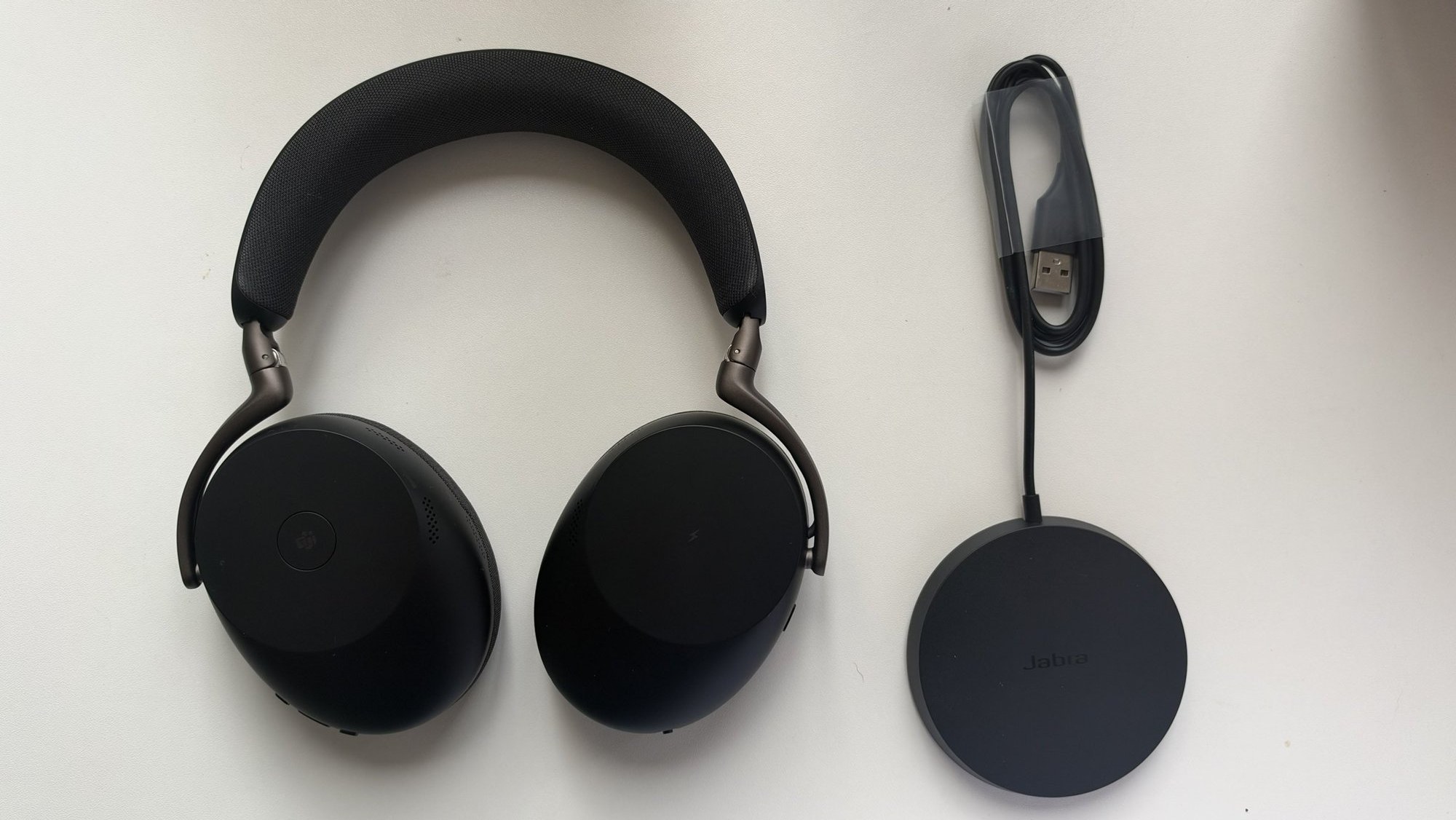
It’s Jabra’s flagship office headset: over-ear, with active noise cancelling (ANC), six microphones, a dedicated Microsoft Teams button and a busylight that tells the office you’re on a call. We’ve used it as our main headset for client calls, Teams meetings and plenty of Spotify in between. It’s expensive. It’s also the best work headset we’ve worn.
The short version
The Evolve3 85 is light, extremely comfortable and built to last. Its microphone earned us a compliment from a client, the sound is far richer than you’d expect from an office headset, and wireless charging means it’s never flat when you need it. The noise cancelling is very good for an office, but it’s not a Sony or Bose for a long flight. At A$979 RRP, it’s a lot of money, so shop around: it’s often much cheaper online.
Pros
- Extremely comfortable, with no pressure on your ears even after hours
- Excellent microphone: a client told us we sounded really good
- Rich sound that’s fine for music between calls
- Wireless charging pad in the box, so it’s always topped up
- HearThrough lets you hear colleagues without taking it off
- Dedicated, well-placed mute and Teams buttons
- Flexible, tough build with metal-reinforced hinges
Cons
- Doesn’t fold up as small as the Evolve3 75 or 65 Flex, so it’s really a desk headset
Comfort: the standout
The first thing you notice is how light it is. Jabra says 220 g.
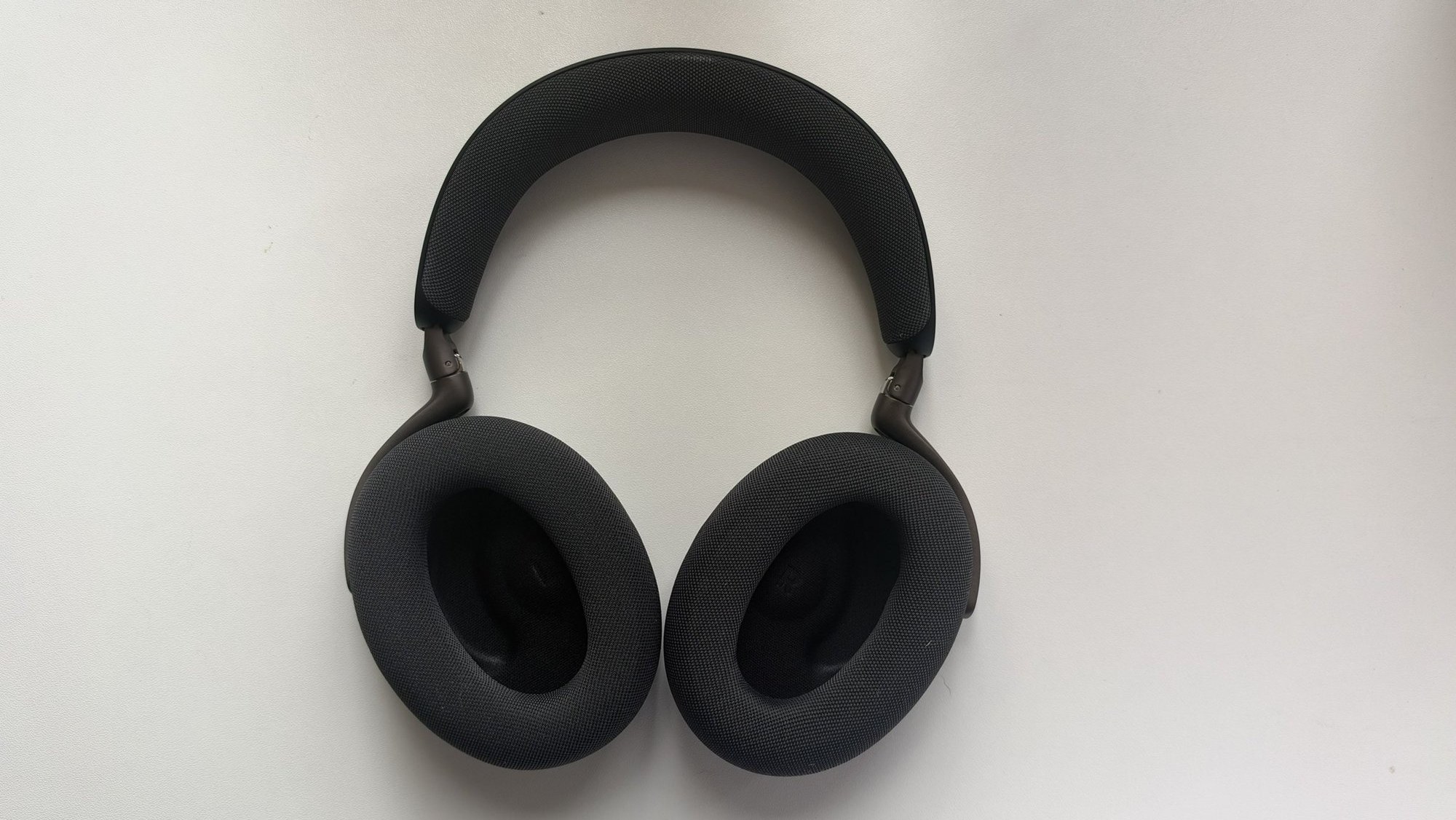
The ear cushions are the clever part. Each one has a cutout section inside, so nothing presses on your ear itself. We hadn’t used anything like it before, and it makes a real difference over a long day: we’ve never felt any pressure on our ears wearing it. The cushions also cup around your ears more cleanly than most headsets, which helps block out the room.
Microphone
The mic is excellent. Midway through a call, one of our clients told us we sounded really good,. There’s no boom arm. Jabra uses six microphones in the earcups and what it calls ClearVoice to pick out your voice.
With noise going on around us, people still heard us clearly.
Sound
The sound is really high quality and rich, which isn’t something you’d expect from an office headset. It’s not audiophile level, but it doesn’t need to be. If you’re jumping between Teams calls and want Spotify on while you work, it does both with ease. And voices on calls are very clear, which is what a work headset is really for.
Noise cancelling and HearThrough
The ANC is surprisingly good for a headset this compact that isn’t built mainly for noise cancelling. It’s better than the JBL and cheaper Sony headphones we’ve used, though not as strong as high-end Sony or Bose. For office chatter it’s perfect. If you want to block out a crying baby on a plane, buy dedicated noise cancelling headphones instead.
HearThrough is just as useful, especially if you work in an office rather than at home. It lets you hear what’s happening around you, so you don’t feel cut off and you won’t ignore a colleague who comes over for a chat.
Buttons: mute and Teams
The dedicated mute button is excellent. On calls it’s good practice to stay muted when you’re not talking, and here it’s one click on a button that sits apart from the others, so you find it without looking. Other headsets have mute buttons, but this is where you can tell the Evolve3 85 was designed from scratch for calls.
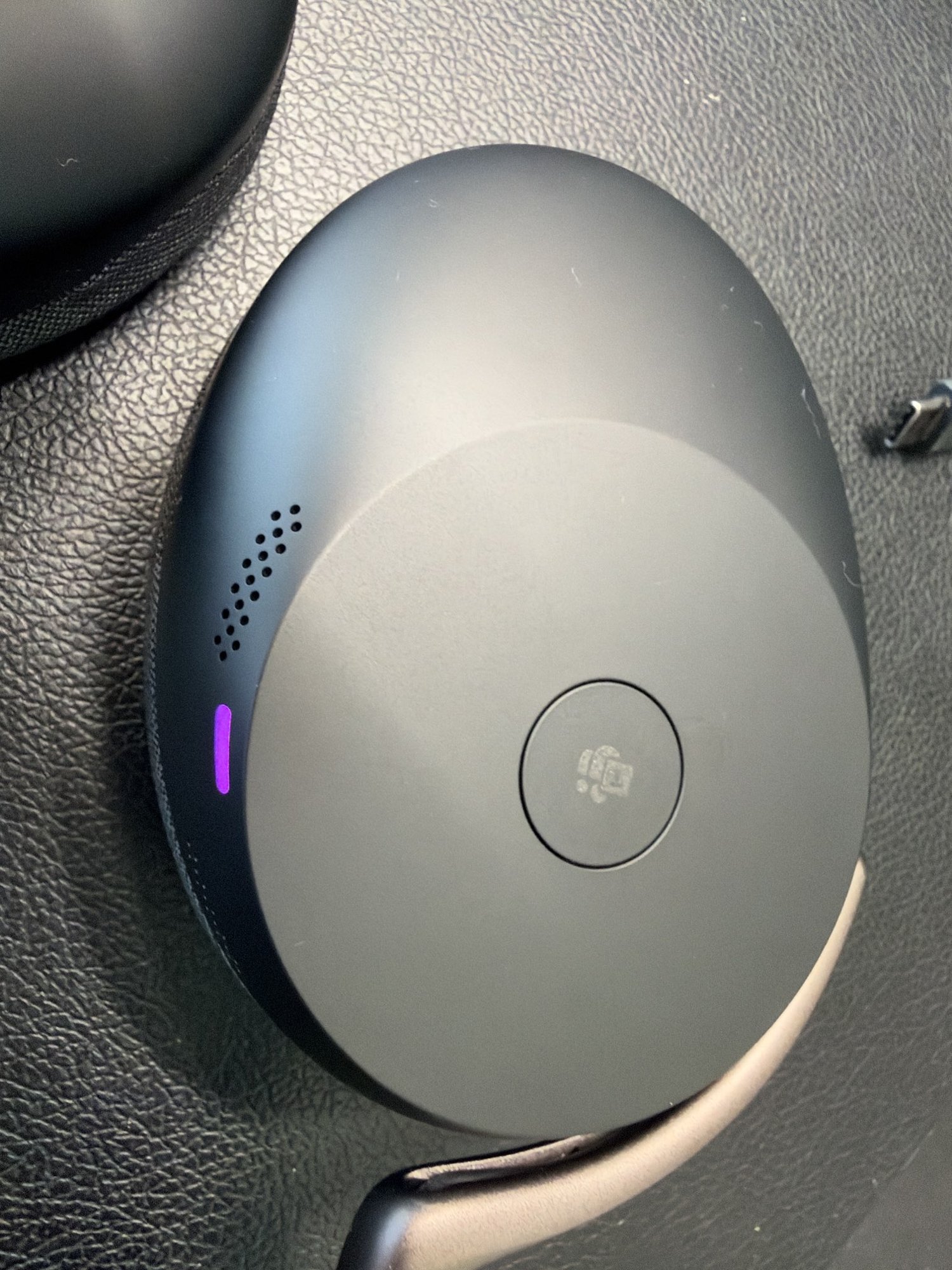
There’s also a dedicated Microsoft Teams button. We’re not heavy Teams users, so we didn’t use it much, but on ours it flashed when a meeting was starting, so you can jump straight in. If you’re in and out of Teams meetings all day, that’s a handy shortcut.
Wireless charging
This is the feature we didn’t know we wanted. If you’re on calls and wearing a headset all day, the battery does drain, and the last thing you need is a dead headset when a client rings. With the 85, you put it on the charging pad when you get a coffee or go to lunch and it stays topped up.
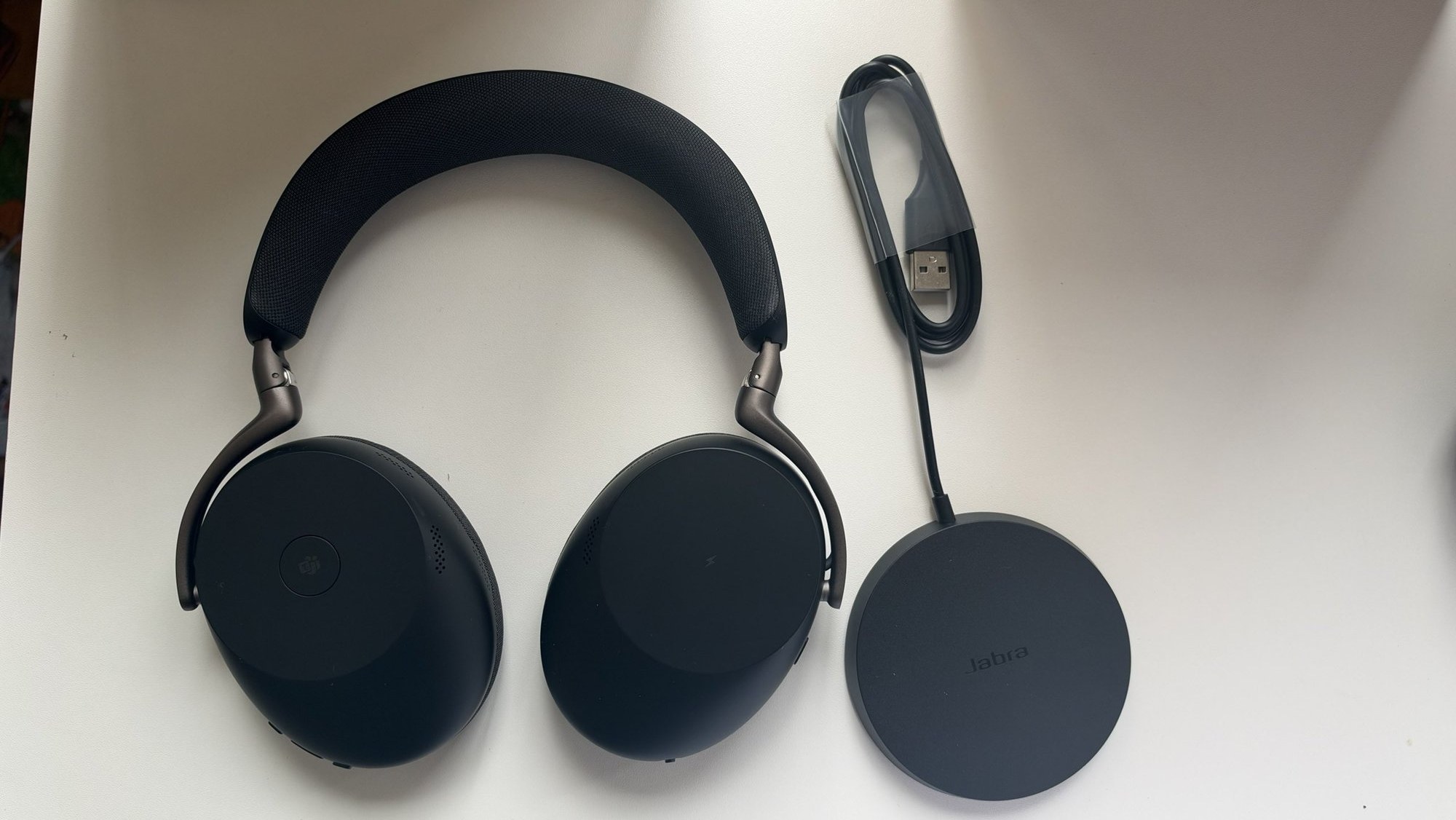
The pad itself is high quality: simple and sleek, with grippy fabric underneath so it doesn’t slide around, and a fairly long cable with a USB-A plug. You can still charge the headset with a USB-C cable too. We’ve got a lot of headsets on our desk, and plugging them all in is a nuisance, so having the wireless option is really nice.
The pad came in the box with our 85, on its own USB-A cable, along with a USB-C to USB-C cable. That’s a nice extra: you don’t have to buy a charger separately.
Jabra rates battery life at up to 25 hours of talk time with ANC off (21 hours on), and up to 120 hours of music without ANC. We haven’t timed it, and with the pad we didn’t need to. We never ran out of battery. Because we kept dropping it on the pad, the battery indicator never fell below medium, and it was nearly always on high.
Build quality
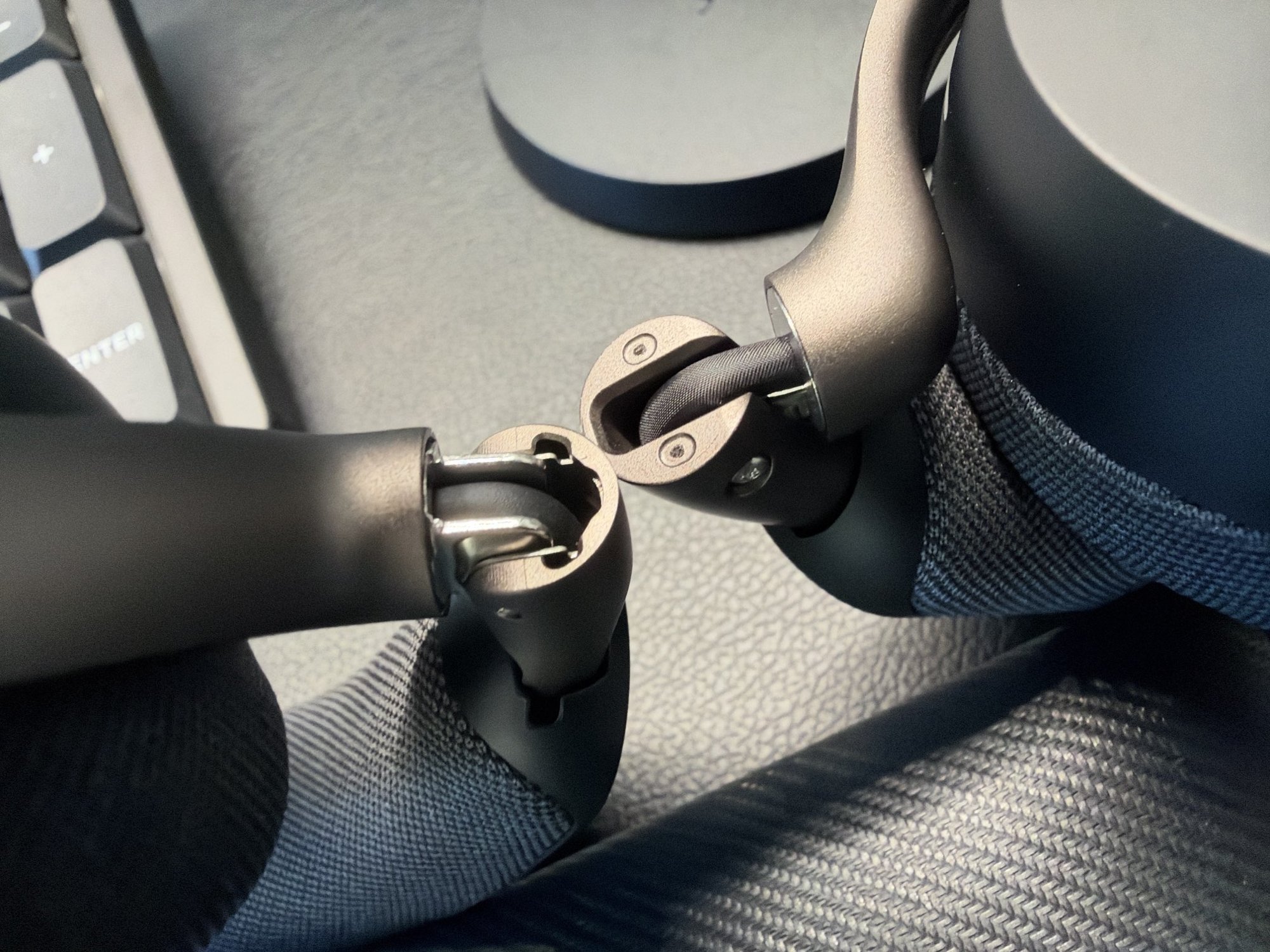
It’s very flexible. You can open it wide to pull it off your head, and it feels hard to break, even by accident when you’re putting it on and taking it off all day. Look closely at the hinges and you’ll see metal reinforcement where the headband meets the arms that hold the ear cups. The cheaper Evolve3 75 doesn’t have it. Jabra has clearly put the extra work into its flagship, and we think this headset is going to last.
Set-up and connections
It connected immediately. It comes with Jabra’s Link 390 dongle (USB-A or USB-C) for your computer, and it connects to your phone over Bluetooth 5.3 at the same time, so you can move between a Teams call and a phone call. It’s certified for Teams, Zoom and Google Meet.
While it was connected to our laptop, a phone call came through cleanly. We didn’t install Jabra’s app, so we can’t comment on it. We didn’t test range properly. Upstairs at home it had no problem from another room, but when we went downstairs there was a noticeable drop in quality. That’s normal for Bluetooth.
Who it’s for
The Evolve3 85 is a desk headset. You can take it home, and it comes with a good carry case, but it doesn’t fold up as small as the Evolve3 75 or 65 Flex. If you’re in the office most days and on calls most of them, this is the one. If you split your week between home and the office, the smaller Evolve3 75 is the better fit. We’ve compared all three in our Jabra Evolve3 85 vs 75 vs 65 Flex guide.
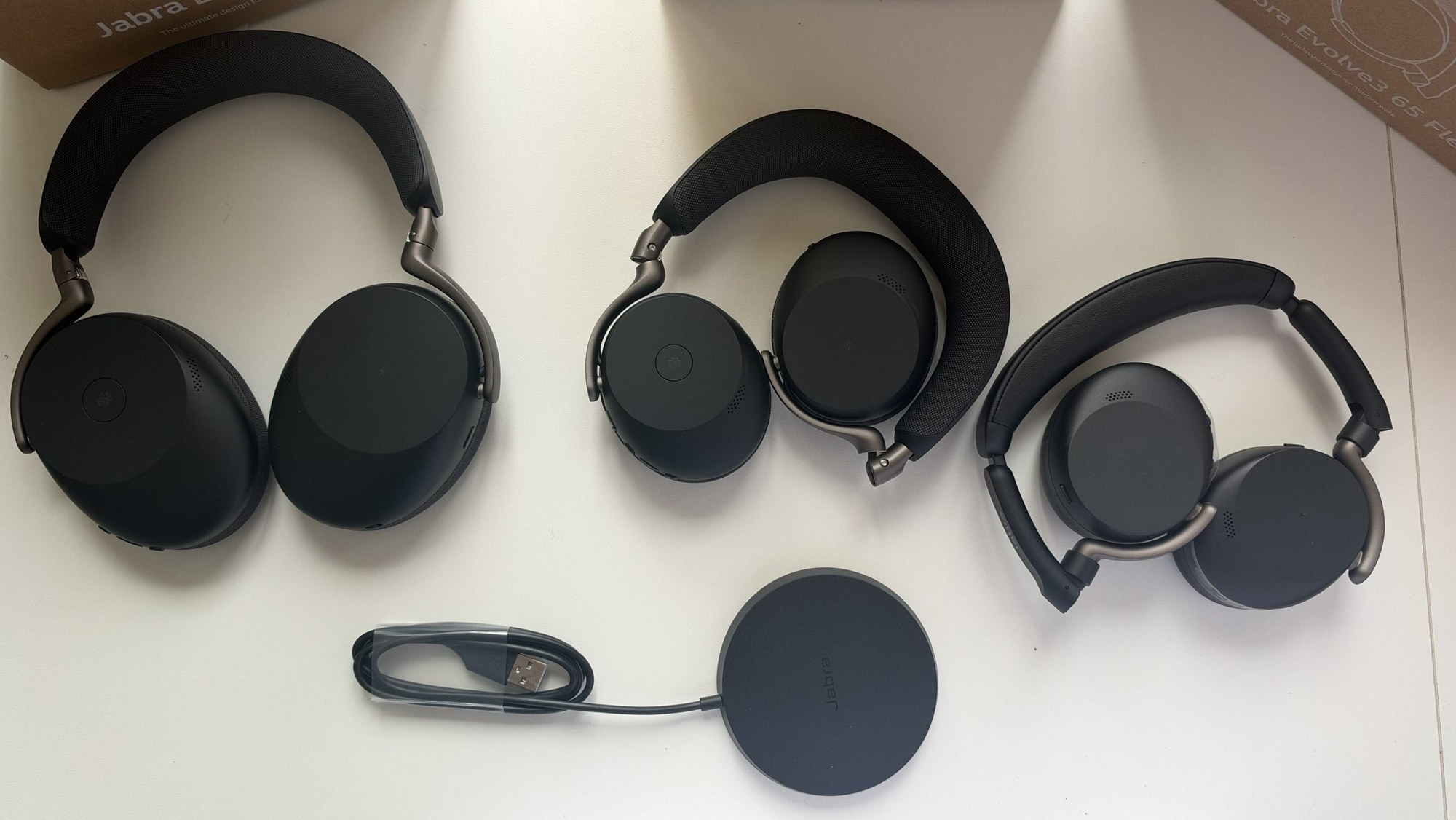 The Jabra Evolve3 85, 75 and 65 Flex side by side, from biggest on the left to smallest on the right, with the wireless charging pad
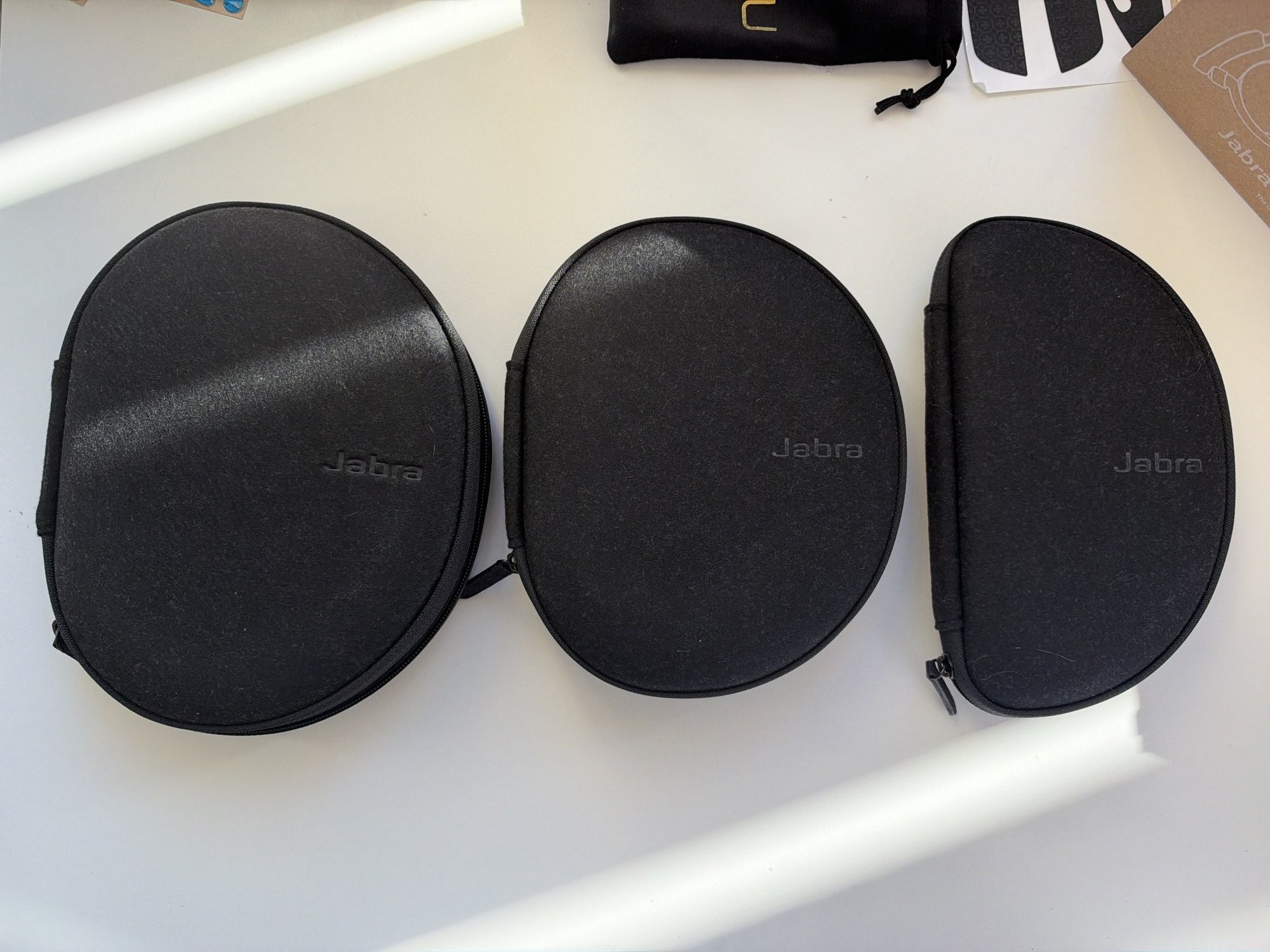 Jabra's three Evolve3 carry cases: the 85's on the left is the biggest, then the 75's, then the 65 Flex's small half-moon case on the right
Specs
| Jabra Evolve3 85 | |
|---|---|
| Type | Over-ear, closed |
| Weight | 220 g |
| Connections | Link 390 dongle (USB-A or USB-C), Bluetooth 5.3 with LE Audio, multipoint, USB-C |
| Battery | Up to 25 h talk (21 h with ANC), up to 120 h music (55 h with ANC) |
| ANC | Adaptive ANC, plus HearThrough |
| Microphones | 6, no boom arm |
| In our box | Headset, wireless charging pad, USB-C to USB-C cable, carry case |
| Certified for | Microsoft Teams (Teams version), Zoom, Google Meet |
Figures are Jabra’s, not our measurements.
Price and where to buy
Jabra’s RRP is A$979. When we checked on 29 November 2026, Australian retailers such as mwave listed it for much less, from about A$550 depending on the version. Pick the Teams version if your workplace uses Microsoft Teams (it’s the one with the Teams button), and choose USB-A or USB-C to match your computer. Your Australian Consumer Law rights apply on top of Jabra’s warranty.
Should you buy it?
Buy it if you’re at a desk on calls most of the day and you want a headset you’ll forget you’re wearing, with a mic that makes you sound great. Don’t pay full RRP: it’s regularly far cheaper online.
Skip it if you need serious noise cancelling for travel, or if you carry your headset between home and the office: the Evolve3 75 is smaller, cheaper and nearly as good.